
Bringing two mobile experiences together
Integrating Meetings into Dialpad, creating one mobile experience for calling, messaging, and meetings.
The challenge
Connecting two familiar experiences
Dialpad and Meetings existed as separate mobile apps, increasing maintenance costs and limiting opportunities for cross-selling and upselling across products. Bringing them together meant integrating two established experiences while preserving everything Meetings users could already do.
I analyzed both information architectures to understand how Meetings could fit into Dialpad, with a clear requirement: the first integrated release needed to support all existing Meetings functionality.
The integration
Making room for Meetings
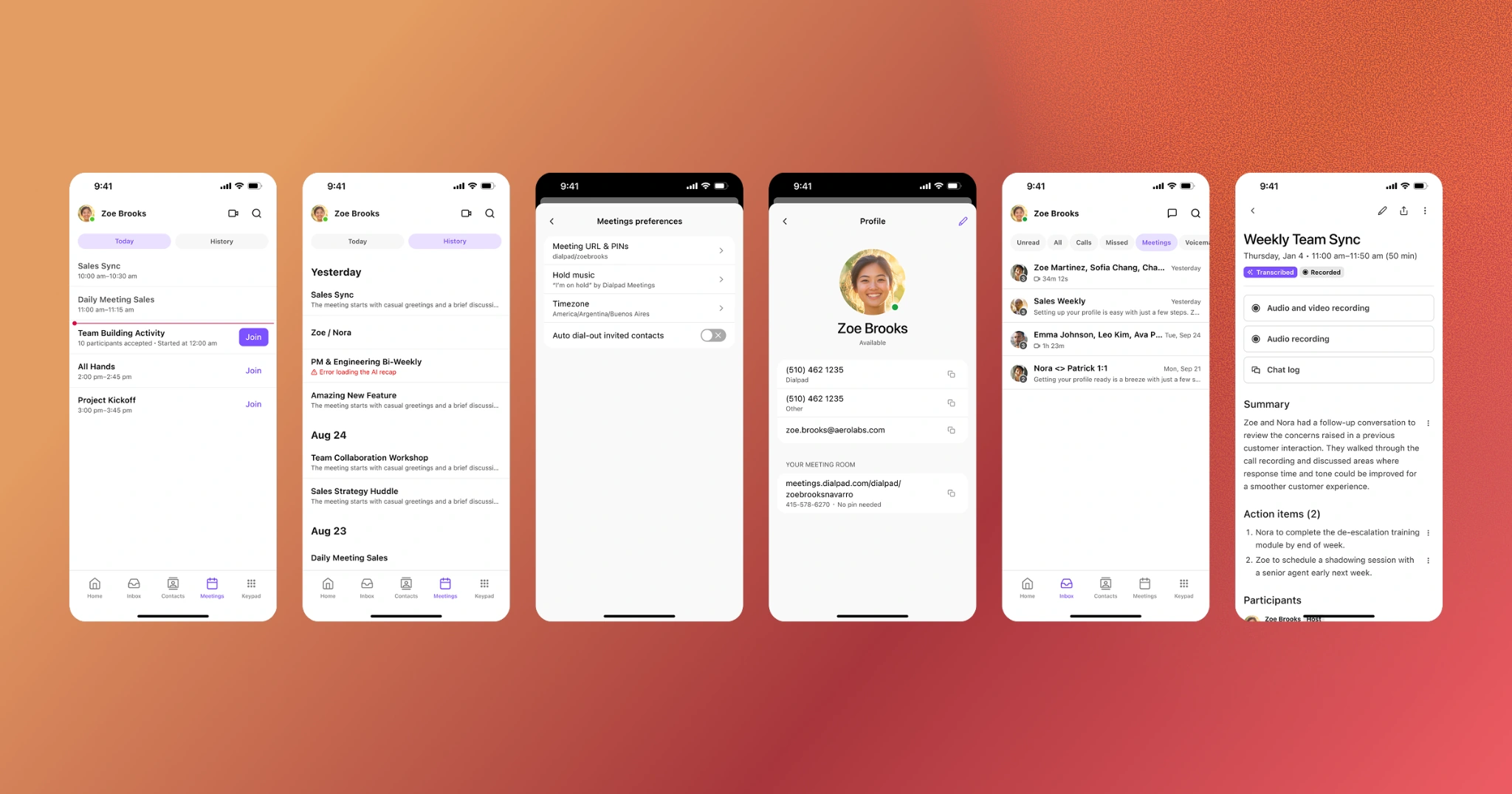
The integration touched four key areas of the mobile experience.
A dedicated Meetings space
A new section for today’s and past meetings, with entry points to start or join directly from the app.
A more complete profile
Meetings-related information brought together with existing Dialpad account details.
Unified settings
Meetings preferences integrated into the main app’s settings.
Integrated meeting flows
Ways to start and join meetings without switching to a separate application.
Before & after
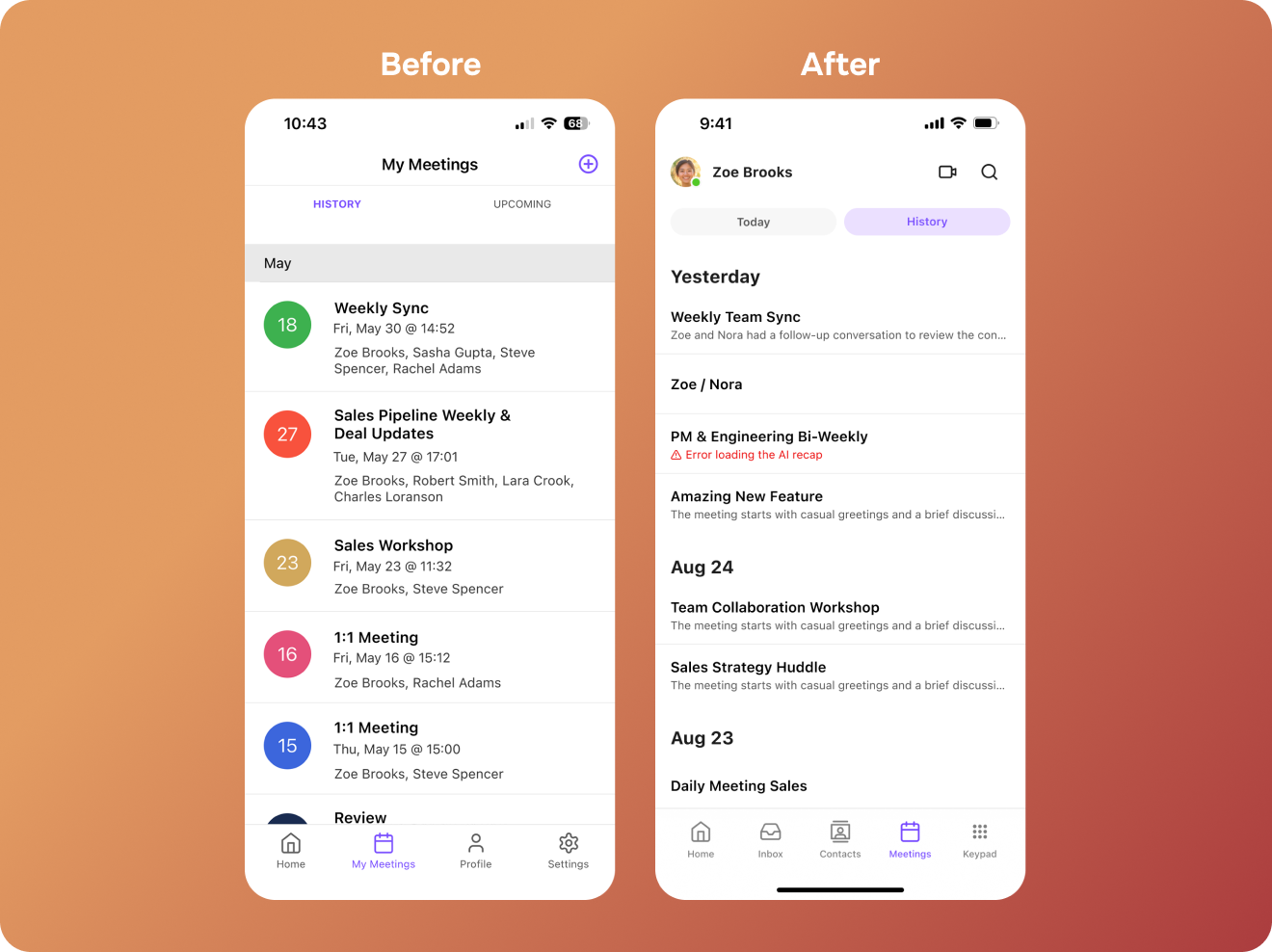
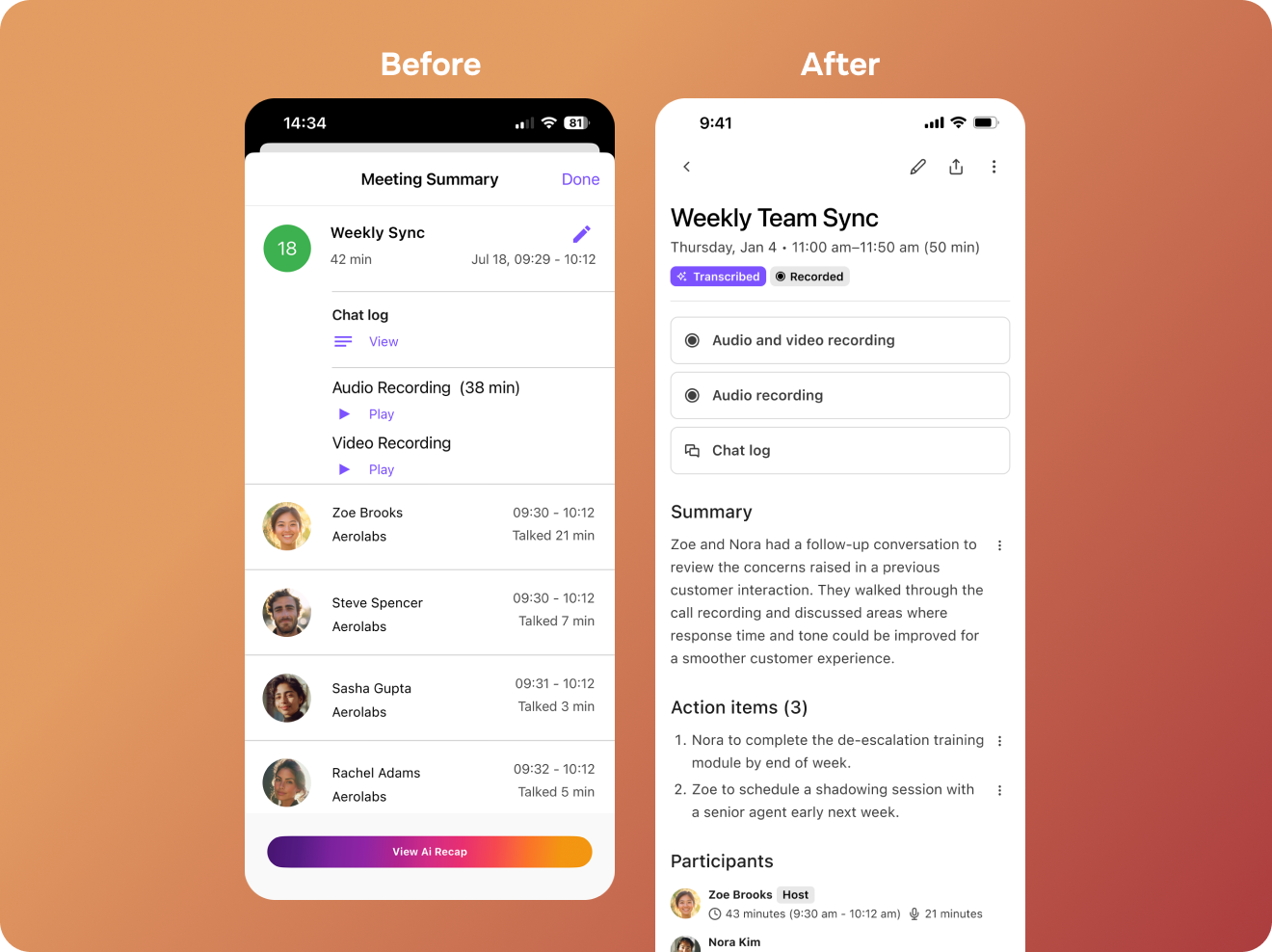
Meetings History
- Moved from an outdated Meetings design system to the main app’s patterns as a first step toward a consistent experience.
- Simplified the layout with shared tabs, typography, and list rows used across Dialpad.
- Added a dedicated Meetings entry in the tab bar for direct access.
The outcome
Designed as one product
The goal was to make Meetings feel like a natural part of Dialpad rather than a separate product embedded within it.
Working closely with product and engineering, I designed a shared mobile structure for existing Dialpad users and people who had used Meetings on its own, preserving familiar workflows for both.
Currently in development, the project lays the groundwork for a more connected product ecosystem, with less fragmentation and room for future growth.